Risk and regulatory notice: Binary options are high-risk, all-or-nothing products and may be prohibited or restricted for retail customers where you live. You can lose the full amount committed to a trade. Verify the legal entity and its authorisation in an official regulator register before sending money or identity documents. This page is general information, not personal financial advice.
The Quotex mobile app gets a lot right for traders who want fast, low-friction binary trading from a phone, but it falls short where it matters most: institutional trust. After digging into hands-on reviews, app store feedback, and regulator notices, my verdict is that the Quotex mobile app is technically convenient but operationally fragile. Use it for short, small-stake trades and you’ll likely have a smooth ride. Park serious capital in it and you’re betting against a track record of withdrawal complaints and zero Tier-1 oversight.
App Overview
Quotex Mobile App at a Glance
Quotex is a binary options platform operated by ON SPOT LLC GROUP, registered offshore in St. Kitts and Nevis. The mobile app is available natively on Android via the Google Play Store, with over 1 million downloads; ratings and review counts change. iPhone users don’t get a native app; they install Quotex as a Progressive Web App (PWA) through Safari, which mimics the native experience without an App Store listing.
The headline pitch: $10 minimum deposit, $1 minimum trade, payouts advertised up to 98%, and a $10,000 demo account with no time limit. For traders sizing up where Quotex sits against competitors, the mobile-first design is one of its few genuine differentiators.
Download & Setup
Download, Setup, and Account Onboarding
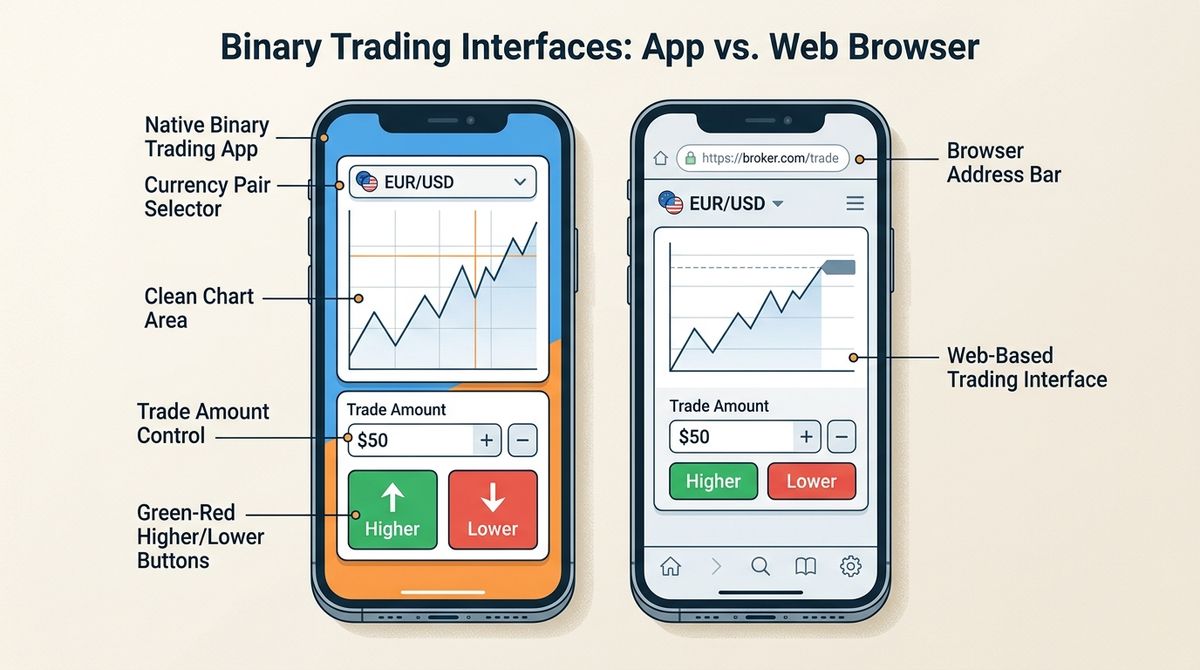
Installing on Android is the standard Play Store flow. For iOS, I open qxbroker.com/pwa[1] in Safari, tap the share icon, and choose “Add to Home Screen.” That’s the PWA. It gives me an app-like home-screen experience; some native-app features, including notifications, may differ.
Account creation takes under two minutes: email, password, currency. Identity verification may be requested when I attempt a withdrawal, though the company can request it earlier, which is faster than most regulated brokers but raises its own concerns. The verification process typically requires a government ID and proof of address. Before funding live, I’d push every trader to spend real time on the demo with $10,000 in virtual funds.
Mobile Trading
Interface and Day-to-Day Mobile Trading Experience
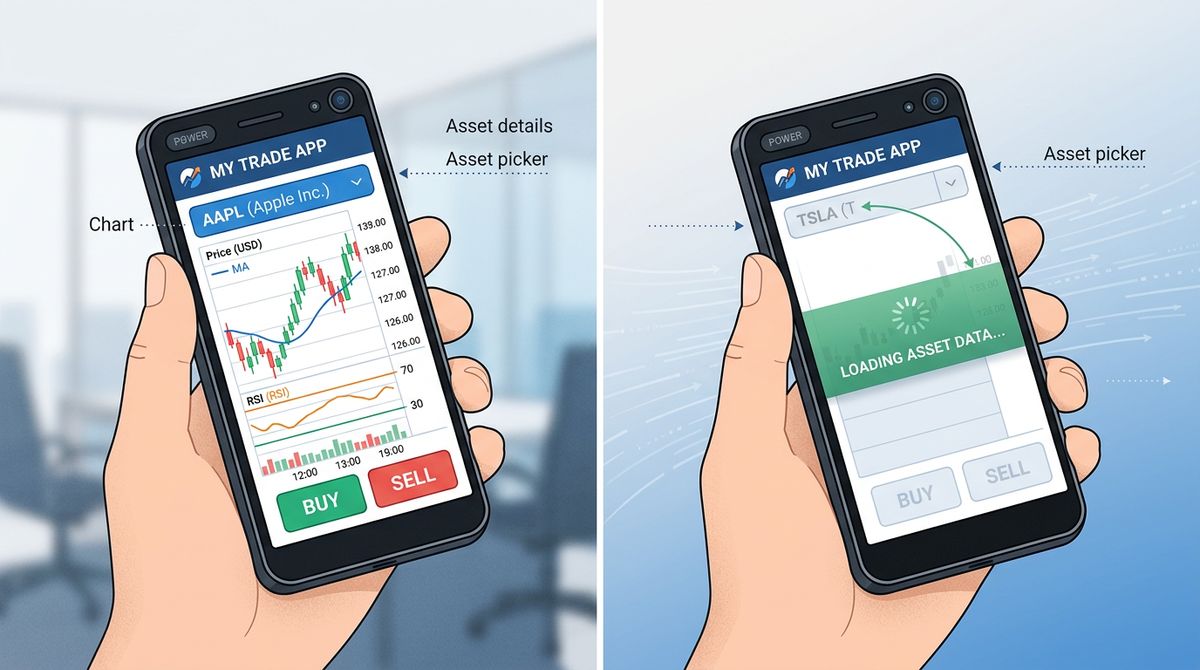
The app’s layout is clean. Asset selector at the top, chart in the middle, trade controls at the bottom. One-tap execution. Quotes update in real time. In my testing, execution speeds came in under one second; another tester reported similar results, which matches what the web version delivers, though reviewers consistently note the web feels marginally faster, particularly when switching assets or timeframes.
An independent review reports expiry options from 5 seconds to 4 hours, which is wider than most binary competitors. The 5-second turbo trades are technically available but practically useless on mobile, the tap latency alone can cost you the trade.
Charting and Indicators on a Small Screen
The mobile toolkit is intentionally minimal: RSI, MACD, Moving Averages, and Bollinger Bands. That’s it. No drawing tools beyond basic trendlines, no multi-chart layouts, no custom indicators. For 1-minute to 15-minute trades, this is enough. For anything requiring real analysis, I switch to desktop. Mobile binary apps live or die on execution responsiveness, not chart depth, and Quotex made the right trade-off here.
Tradable Assets and Order Types
The operator markets 400+ instruments overall[2]; an independent test counted 95+ binary instruments. The asset breakdown matters more than assuming all 400+ are binary options. Switching assets is responsive on Android. On the iOS PWA, I noticed a slight half-second delay reloading chart data. Order types are limited to Higher/Lower binary calls. No stop-loss, no take-profit, no hedging. This isn’t MT4.
Payments & Fees
Deposits, Withdrawals, and Fees on Mobile
The low minimum deposit of $10 is one of the platform’s strongest selling points. Funding through crypto, cards, or local payment systems generally credits within minutes. Withdrawals are where it gets messy.
| Account Tier | Reported Tier Time | Minimum Deposit |
|---|---|---|
| Standard | ~48 hours | $10 |
| Pro | 24 hours | $500 |
| VIP | 24 hours (priority) | $1,000+ |
The FAQ[3] says withdrawals average 1–5 days; the Payment Policy §4.8[4] allows up to 7 days for a decision, or 14 in some circumstances. An inactivity fee of 1% of balance per day kicks in after 180 days of no trading activity, minimum $1/day. That’s brutal. Don’t leave a dormant account funded.
Payout Rates: Advertised vs. Real-World
The “up to 98%” headline is misleading. In one published test, payouts on identical assets fluctuated between 82% and 68% depending on time of day and market volatility. That 14-percentage-point swing matters. A strategy that’s profitable at 85% payouts often isn’t at 70%. Check the live payout before every trade, not just the marketing page.
Reliability & Trust
Reliability and Trust Concerns
This is where the mobile app review has to broaden. Technically, the app is stable for most users. Operationally and institutionally, the picture is worse.
Trustpilot reviews include an August 2026 account of an 18-day pending withdrawal and a separate allegation of suspension after a profit; these are users’ reports, not independently verified transactions. Reddit discussions also raise withdrawal and verification concerns, though individual posts need to be read as claims, not proof of a platform-wide rule.
Institutionally, Quotex’s IFMRRC affiliation expired in 2021. Spain’s CNMV, Portugal’s CMVM, and Italy’s CONSOB issued historical notices naming particular Quotex-linked entities or domains in their jurisdictions. Indonesia’s BAPPEBTI has blocked Quotex domains outright. WikiFX assigns a low, changing score and warns users away. For traders weighing the broker’s overall legitimacy, these are the data points that matter.
Customer Support on the Go
Support availability is inconsistent across sources. Quotex advertises 24/7 multilingual ticketing through the app. In practice, reviews are split: some users get responses within an hour via in-app chat, others report being routed to email-only or social media DMs. My read after looking at the actual support experience: expect functional but slow help for routine issues, and prepare for friction on anything involving funds.
Pros & Cons
Pros and Cons of the Quotex Mobile App
Pros:
- $10 minimum deposit and $1 minimum trade
- Sub-1-second execution on most trades
- Clean, beginner-friendly interface
- $10,000 demo account with no time limit
- 400+ instruments overall in the operator’s marketing, including crypto and forex
- Biometric login and optional 2FA
Cons:
- No native iOS app (PWA only)
- Unregulated, offshore registration
- Payout rates vary significantly by time of day
- User complaints about withdrawal delays and account suspensions
- No MT4/MT5 or advanced charting; copy-trading availability is unclear across reviews
- 1%/day inactivity fee after 180 days
Who It Suits
Who Should (and Shouldn't) Use the Quotex App
Use it if: I’m a beginner or short-term binary trader comfortable with high risk, trading small stakes, and willing to withdraw profits frequently rather than letting balances accumulate. The app rewards traders who treat it as a tool, not a custodian.
Skip it if: I need Tier-1 regulation (FCA, ASIC, CySEC), I’m trading meaningful capital, I rely on advanced charting or automated strategies, or I want recourse through investor compensation schemes. Several of the structural issues most reviews gloss over become deal-breakers once account size grows.
Final Verdict
Final Verdict: Is Quotex Reliable on the Go?
My rating: 6/10 as a mobile app, 3/10 as a broker.
The Quotex mobile app does its job. Execution is fast, the interface is clean, and the entry barriers are genuinely low. As a piece of trading software on a phone, it’s competent. The problem isn’t the app, it’s everything behind it. Unregulated status, variable payouts, recurring withdrawal complaints, and no institutional safety net.
If I’m going to use it: keep balances small, withdraw weekly, enable 2FA, test withdrawal mechanics with $20 before committing more, run strategies on demo first, and never deposit money I can’t afford to lose entirely. That’s not advice specific to Quotex, it’s the baseline for any offshore binary broker. Quotex just happens to be one of the more usable ones in that category.
FAQs
Frequently Asked Questions
Is there a Quotex app for iPhone?
No native iOS app exists. iPhone users install Quotex as a Progressive Web App by opening qxbroker.com/pwa[1] in Safari and selecting “Add to Home Screen.” It is app-like, but features and notifications can differ from Android.
How long does it take to withdraw from the Quotex mobile app?
Standard accounts are stated at roughly 48 hours, Pro and VIP at 24 hours. The FAQ[3] describes an average of 1–5 days; the Payment Policy §4.8[4] gives 7 days for a decision, or 14 in some cases. Some users report longer delays.
Does the Quotex app work in the United States?
Quotex does not officially serve U.S. residents, and access is restricted in several jurisdictions. Traders evaluating whether Quotex is accessible from the U.S. should review the platform’s terms before depositing.
Is the Quotex welcome bonus worth claiming on mobile?
The 30% deposit bonus comes with trading volume conditions on bonus-derived profits; the bonus terms[5] do not make the credited bonus withdrawable cash. Whether the bonus is genuinely useful depends on trading frequency and account size.
Can I trust Quotex with large deposits?
I wouldn’t. The platform is unregulated, multiple regulators have issued warnings, and user complaints about withdrawal delays are persistent. Keep balances small and withdraw profits regularly.
What indicators does the Quotex mobile app support?
The mobile toolkit is limited to RSI, MACD, Moving Averages, and Bollinger Bands. Advanced charting, custom indicators, and multi-chart layouts are not available on mobile and require the web platform.